A supplier finds a four-pin connector with the right pitch and enough stock for your pilot run. Your cable assemblies are already built. Will the plug on those cables fit the new header once it is soldered to the board?
Before approving a component substitution, ask for the original and proposed manufacturer part numbers, the differences that matter to your product, and evidence that the substitute meets your requirements. Put the decision in writing and identify the exact build it covers. Purchasing can then act without having to interpret an email that simply says “looks good.”
Your options when a BOM item is out of stock
Start with the released bill of materials (BOM). If it lists an approved alternate, check that its approval covers this board revision, product variant and order. If the line is marked “no substitution,” keep the specified part unless the customer formally changes that instruction.
| Supply option | What the buyer should ask |
|---|---|
| Wait for the specified part | Is the date a confirmed shipment or a distributor estimate? When could finished boards ship if the part arrives on time? |
| Split the build | How many complete boards can ship in the first lot? Ask for both ship dates and any extra setup, test or freight charges. |
| Use an approved alternate | Which released BOM or approval record names the part? Is enough stock available from an approved source for this build? |
| Evaluate a new substitute | Can engineering review samples before the order deadline? Quote the sample, validation and any harness or tooling changes separately. |
Ask the assembler to quote dates for finished boards. A substitute that arrives on Friday may save no time if a new cable or a revised test fixture takes another week.
How to check a proposed substitute
Consider an illustrative shortage on J1, the cable connector of a controller. The harness drawing specifies JST housing PHR-4. The supplier proposes a PA-series header in place of the original PH-series header. Both have four positions on a 2.0 mm pitch. The customer needs to know what happens to the harness already on the shelf.
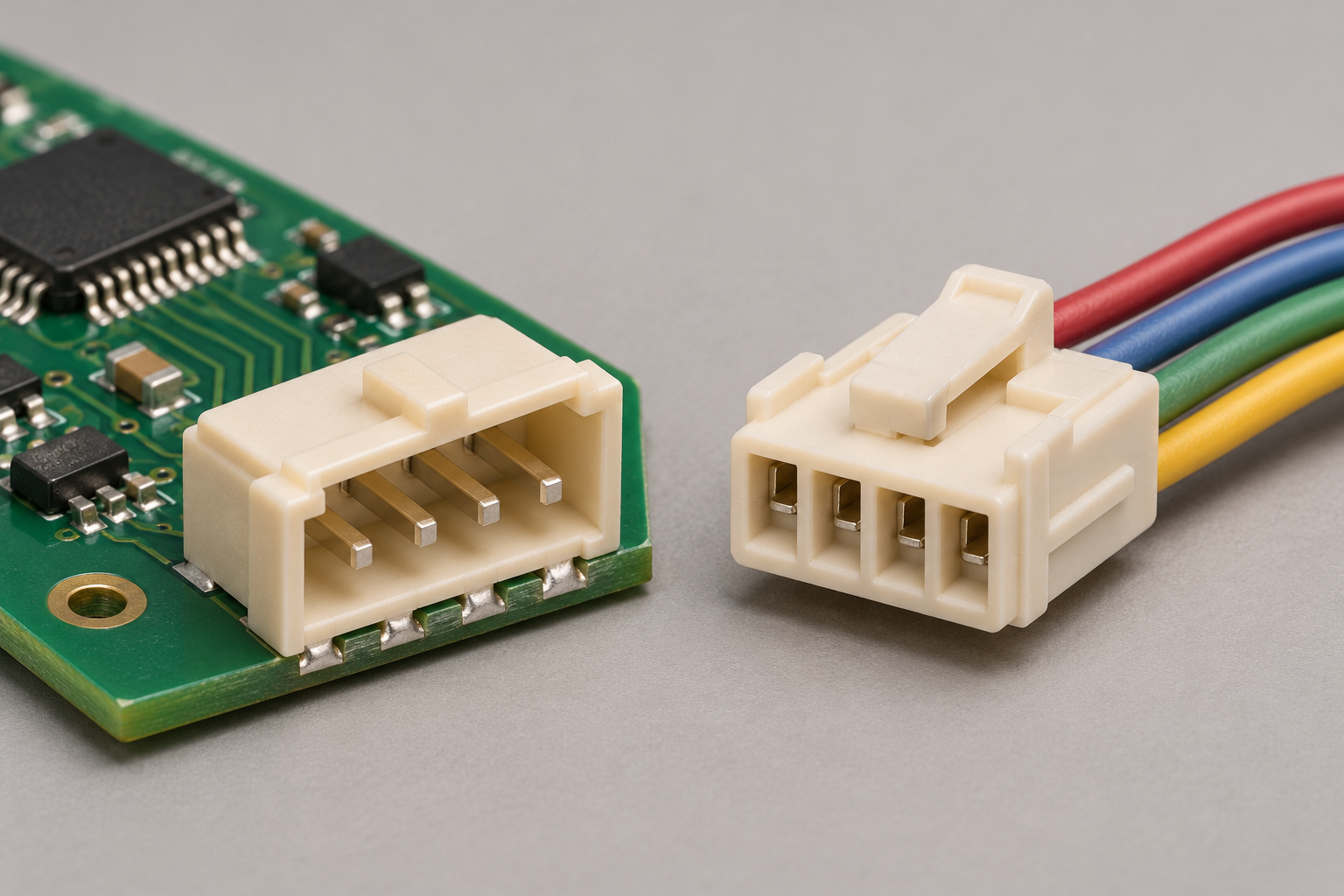
Illustration of a four-pin PCB header and cable plug. Check the mating housing and keying before approving a substitute.
| Detail on the drawing | Released connector | Proposed connector |
|---|---|---|
| JST header model | B4B-PH-K-S | B04B-PASK |
| Connector family | PH | PA |
| Four-position housing shown in that family | PHR-4 | PAP-04V-S (standard crimp housing) |
Manufacturer drawings · JST PH series / JST PA family
JST lists different mating housings for the two families. The shared pitch tells you the spacing between adjacent pins. It gives you no approval to mate the PA header with the existing PH plug. For this build, hold the proposed part and ask the supplier to look for the released header or an alternate documented for the existing harness.
What engineering should verify
At the board. Compare the recommended land or drill pattern, pin numbering and orientation against the released PCB. Check the electrical ratings for the actual wire size, load and operating temperature.
Inside the enclosure. Review the mating drawing, keying and cable entry direction. For a viable candidate, fit a sample with the production harness and enclosure. Can the operator seat the plug fully, close the lid and later release the plug without pulling on the wires?
At the test station. Use the production harness or a verified equivalent to check that each pin reaches its intended circuit. A fixture that probes test pads directly can pass a board while leaving the cable interface untested.
If adopting the candidate also changes the cable, price and approve the connector and harness together. Include any finished cable stock that would have to be reworked.
A component substitution approval form
Download the fillable component substitution approval form (PDF). You can also copy the fields below into your purchasing system. The assembler can fill in the proposal and attach the comparison. The person your team authorizes to release the design records the decision before purchasing commits to production quantities.
| Field | What to record | Connector example |
|---|---|---|
| Affected build | Product, BOM revision, reference, lot or order, and quantity. | Controller Rev C, J1, 50-board pilot. |
| Part numbers | Manufacturer, full orderable numbers and drawings for both parts. | JST models B4B-PH-K-S and B04B-PASK. Confirm suffixes against the BOM and quote. |
| Supply impact | Reason, source, available quantity, price difference and finished-board dates. | Pilot stock is short. Request a split-build quote using the original header. |
| Engineering review | Differences, acceptance criterion, evidence and open checks. | Existing PHR-4 harness must mate with J1. The PA drawing lists a different housing. |
| Decision and scope | Hold, reject, approve samples, approve one lot, or release for repeat orders. | Hold the PA proposal. No production purchase or installation authorized. |
| Authorization | Approver, decision date and reference to the signed record. | Customer design owner to record the decision and date against Rev C. |
When a pilot approval expires
A pilot approval covers the quantity and revision written in the record. For example, if engineering qualifies a substitute for 50 units of Rev C, link that approval to the pilot work order and record which part was fitted. When an order for 500 more arrives, follow the released BOM. To use the substitute again, obtain a new approval or add it to the controlled list of alternates for that revision.
Sourcing a turnkey PCB assembly? Send VOSNOR your current BOM, build quantity and target delivery date. Flag any lines that must use the original part. If one item is holding up the build, include its manufacturer part number and the board revision so we can review sourcing options with you.
Request a BOM Review · inquiry@vosnor.com